SNT - Category Management
SNT category management and configuration documentation
SNT Category Page
Category Create
To create a new category:
- Select "Category" from the left menu in SNT (see picture 1, item 1)
- Click the "Create" button on the right side of the screen (see picture 1, item 2)
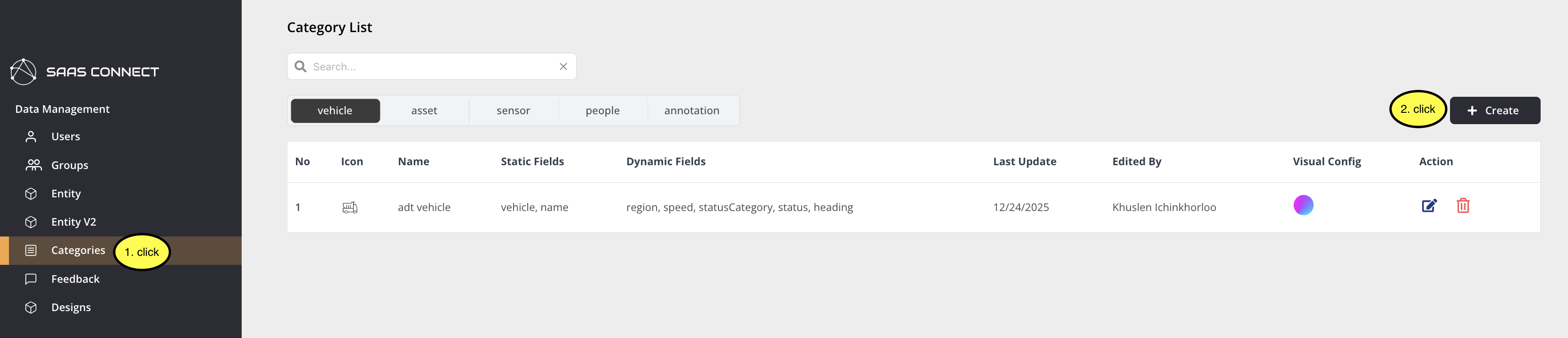
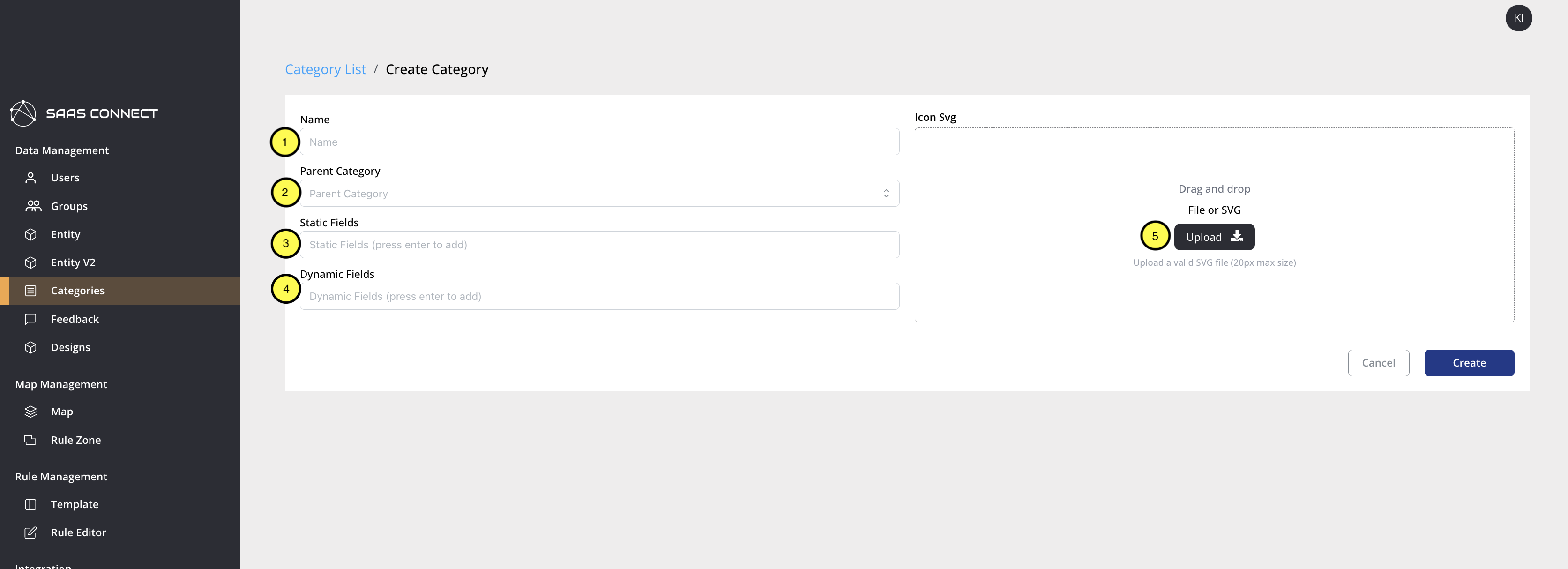
Then fill in the category creation form:
- Enter the name for the category you want to create
- Select the parent category that this category will belong to
- Enter static fields that entities in this category will have (multiple fields can be added)
- Enter dynamic fields that entities in this category will have (multiple fields can be added)
- Upload an SVG file to represent entities in this category (must be a 20px x 20px monochrome SVG file)
Category Description
Category
This page manages categories. A category refers to the group that entities belong to. You can add new information to existing categories, delete existing information, change icons, and create new categories. Categories consist of Name, Parent Category, Static Field, Dynamic Field, and SVG. Static and Dynamic Fields are displayed in ADT attributes.
Name
Defines what to call the category.
Example: TruckChute, RSU, Crusher
Parent Category
Defines which category this category belongs to. A category must have a Parent Category. Categories without a Parent Category are Root Categories, which include Tag, Asset, Vehicle, People, Sensor, and Annotation. Root Categories cannot be changed in SNT and can be modified by OT and Andorean together. Static Fields, Dynamic Fields, and SVG of Root Categories are not inherited by children.
Example: Asset, People, Vehicle
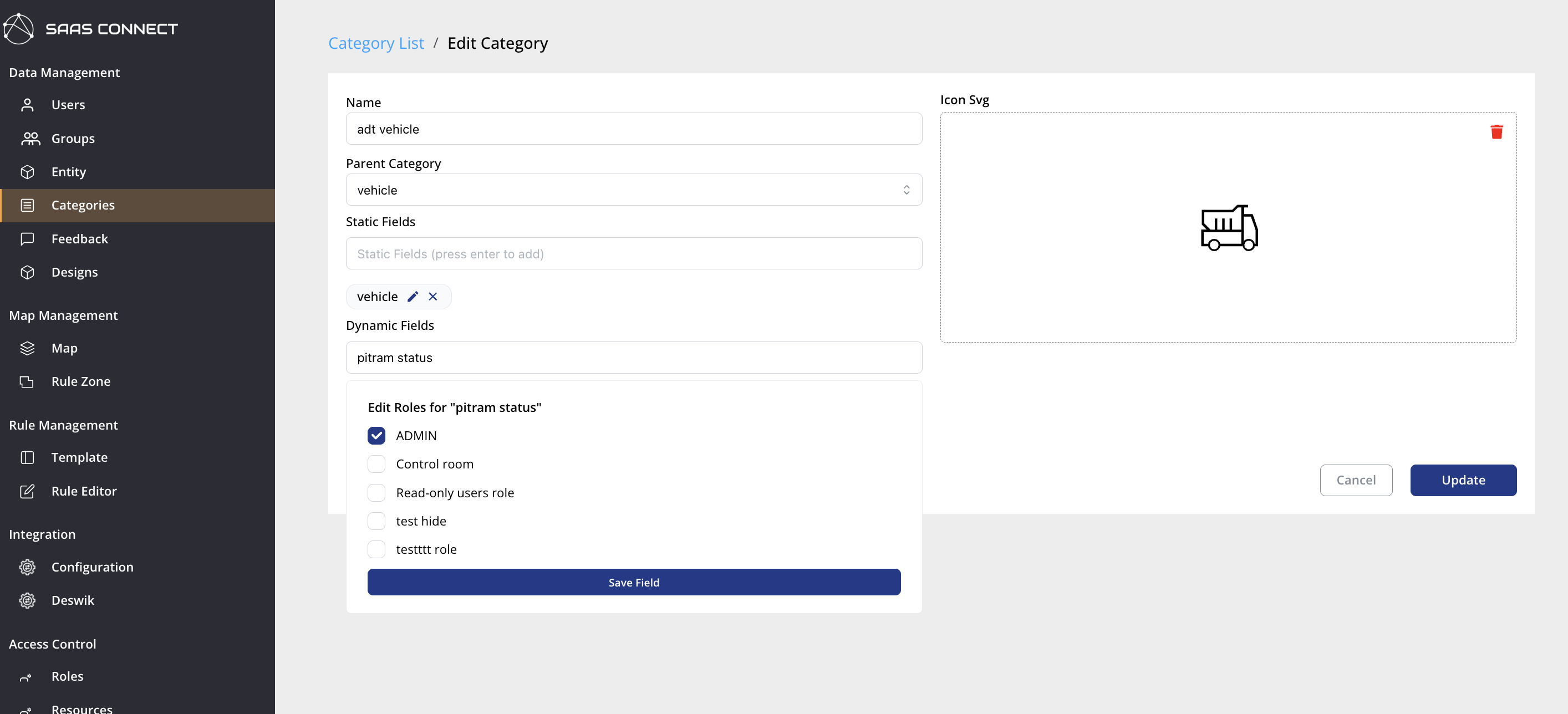
Data masking
You can select which roles can view each field. Only users with the selected role(s) can see the field; the data is hidden from users without those roles.
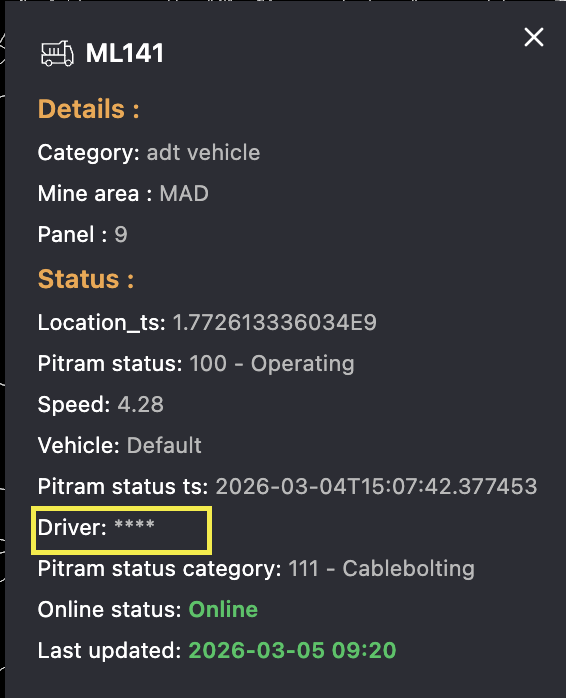
Static Field
This is information that entities belonging to this category can have as fixed data.
Example: Mine_area, Phone, Type
Dynamic Field
This is information that entities belonging to this category can have as variable data.
Example: status, level
SVG
The icon belonging to this category is displayed in ADT with this SVG. Size: 20px by 20px.
Caution
When a category is deleted, their entities are also deleted.