SNT - Visual Configuration
SNT visual configuration and setup documentation
SNT Visual Config Page
To set a visual config:
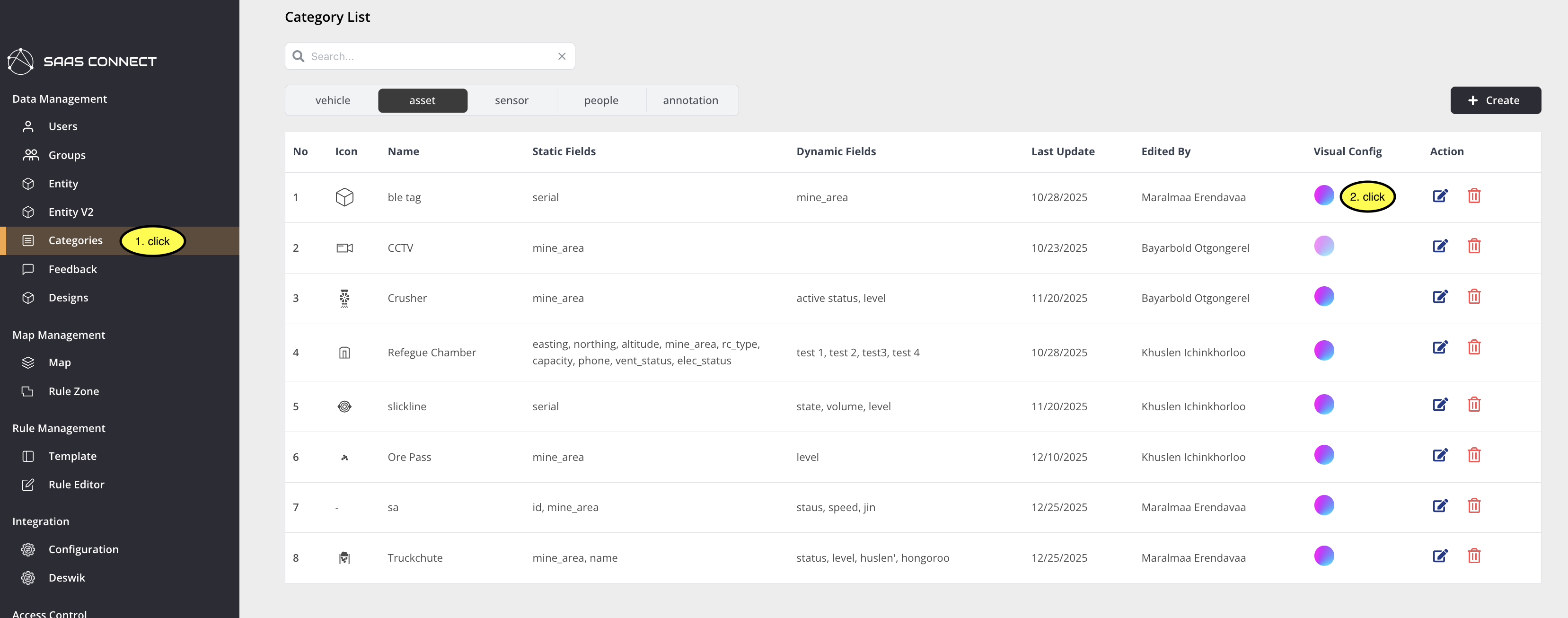
- Select "Category" from the left menu in SNT (see picture 1, item 1)
- Click the visual config icon button on the right side of the screen (see picture 1, item 2)
Then fill in the visual config form:
Step 1. Select visual settings.
Step 1-1. Select the fields to display in the popover and label.
Step 1-2. The setup method for Model color, Circle color, and Status dot is the same.
a. Select which field will be used for the visual setting.

b. Click "Add Status" to add conditions. (Multiple conditions can be added.)

c. Use the left dropdown to select an operation, then set the value using the right field.

d. Set the color when the condition is met.

e. Set the time period when the condition is valid.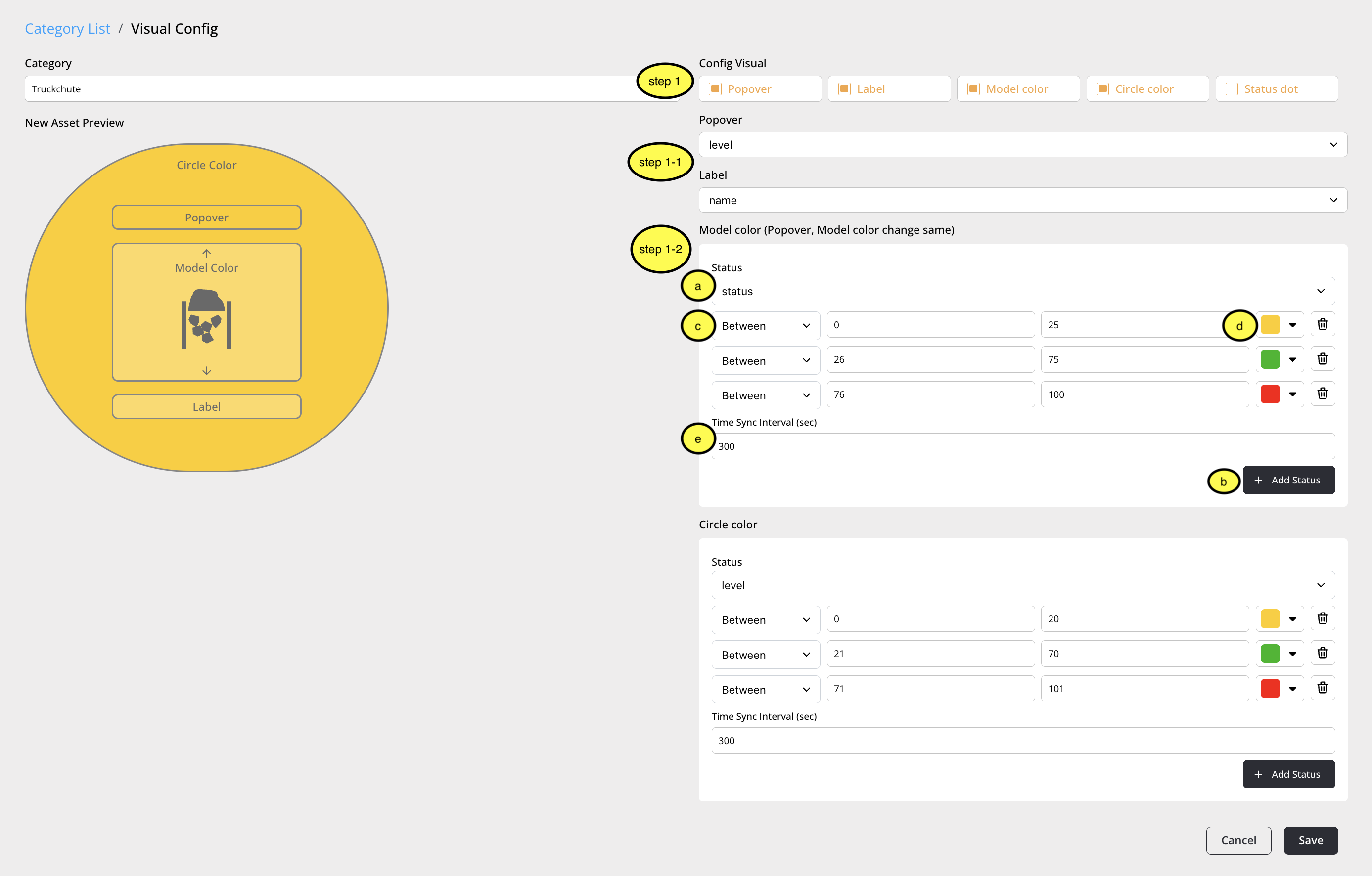
Visual config Description
This page configures icon color changes based on the Dynamic field of the category. Select one of the Dynamic fields and choose a color for the selected condition.
Visual Config Page Components
The visual config page consists of Category, Status, Timestamp, Add Status, Condition Operator, and Condition.
- Category: Displays the selected category
- Status: Allows you to select one of the Dynamic fields of the category. The icon color changes based on the value of this field.
- Timestamp: Represents the valid time after changing the icon color with this field. When the valid time expires, the icon returns to its default color.
- Add Status: Adds a condition for the value of this field.
- Condition Operator: Defines what condition applies to this field. Supports Equals, Between, and Contains.
- Equals: Changes the color if the field value equals the condition. (String)
- Between: Changes the color if the field value is between the condition values. (Number)
- Contains: Changes the color if the field value contains the condition. (String)
- Condition: The value that becomes the condition.
Caution
If visual config is not set, the default icon is displayed in ADT.
Visual config cannot be set if the dynamic field does not exist.